

Auto-Posting Teaser
This article gives you a brief overview of what an Auto-Post Teaser feature is and how it can benefit in your next e-Commerce LIVE session. Sellers can find this feature at LIVE Selling page on TikTok Shop Seller Center PC version.

Teaser is proven to drive LIVE room traffic with a higher quality audience than other forms of pre-LIVE content.
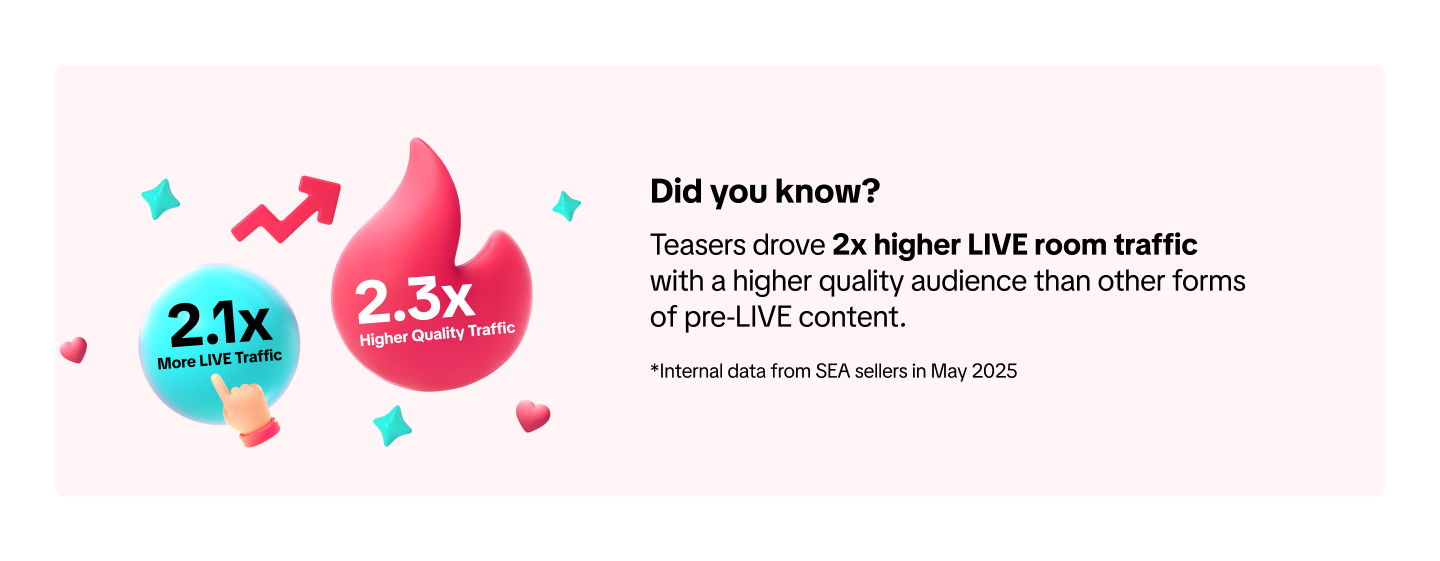 Auto-Post Teaser feature acts as your personal marketing team that works for you, anytime when you're LIVE. It’s designed to solve one big problem, "getting your products in front of people who are already scrolling through TikTok and are ready to buy."
This feature is available to all sellers who linked Official TikTok Account to Seller Center.
*AI-generated replay clips from your previous LIVE sessions are automatically selected by the platform based on relevancy. You can disable this feature at any time.


What is Auto-Post Teaser?
As a shop owner, you're always looking for new ways to get more people into your LIVE room and turn them into paying customers. We understand that it's a lot of work to be LIVE, engage your audience, and try to promote your LIVE at the same time.Teaser is proven to drive LIVE room traffic with a higher quality audience than other forms of pre-LIVE content.
This feature is available to all sellers who linked Official TikTok Account to Seller Center.
Why You Should Enable Auto-Post Teaser?
- Teaser Fills Your LIVE Room Automatically
- Teaser Attracts a Higher Quality Audience
- This Feature Keeps Your TikTok Profile Clean
*AI-generated replay clips from your previous LIVE sessions are automatically selected by the platform based on relevancy. You can disable this feature at any time.
Feature Entrance on PC
Entrance | Auto-Post Setting | Instruction |
Auto-Post Teaser is among the top recommended actions.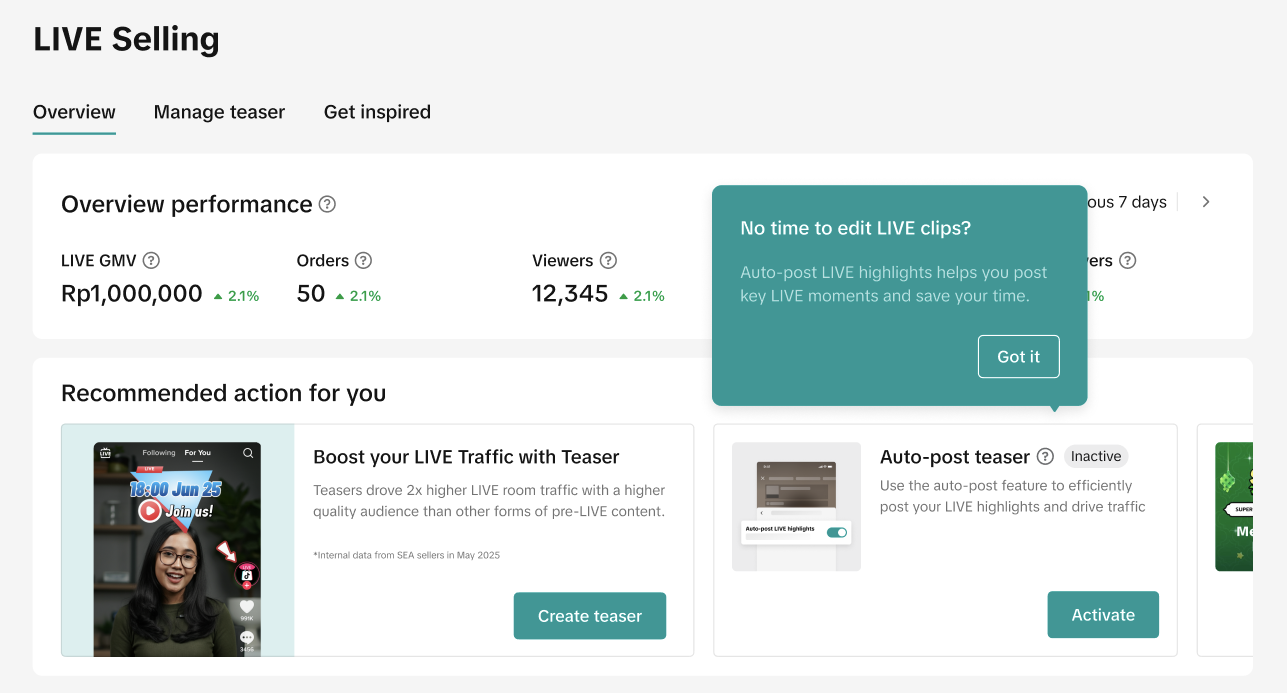 | 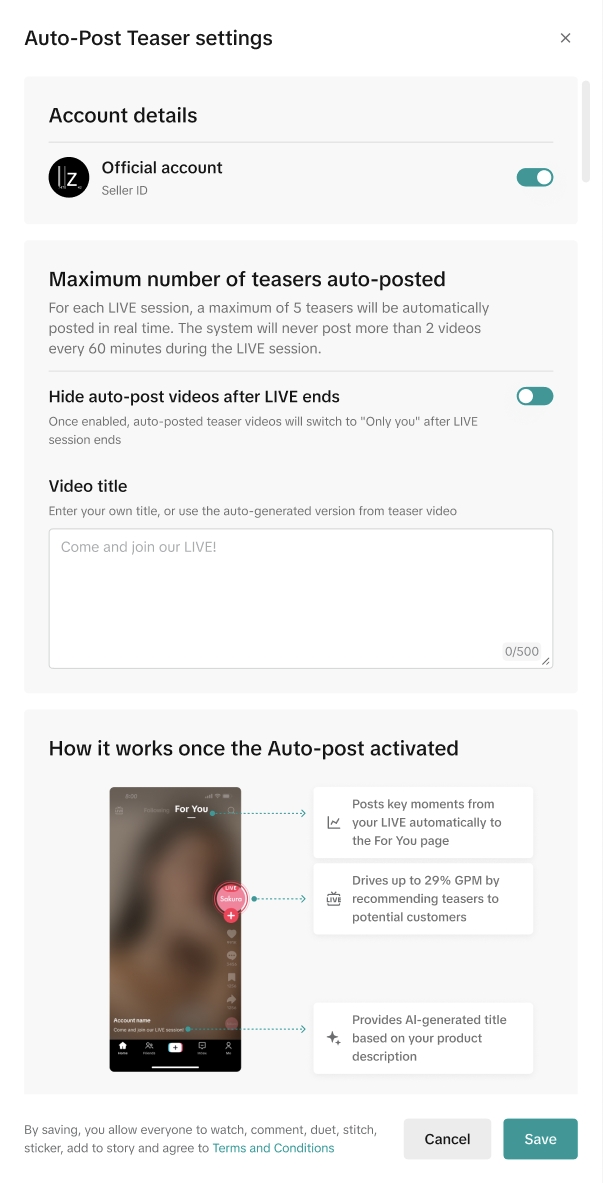 | After clicking "Activate", follow these quick steps to get your teaser running.
|
|
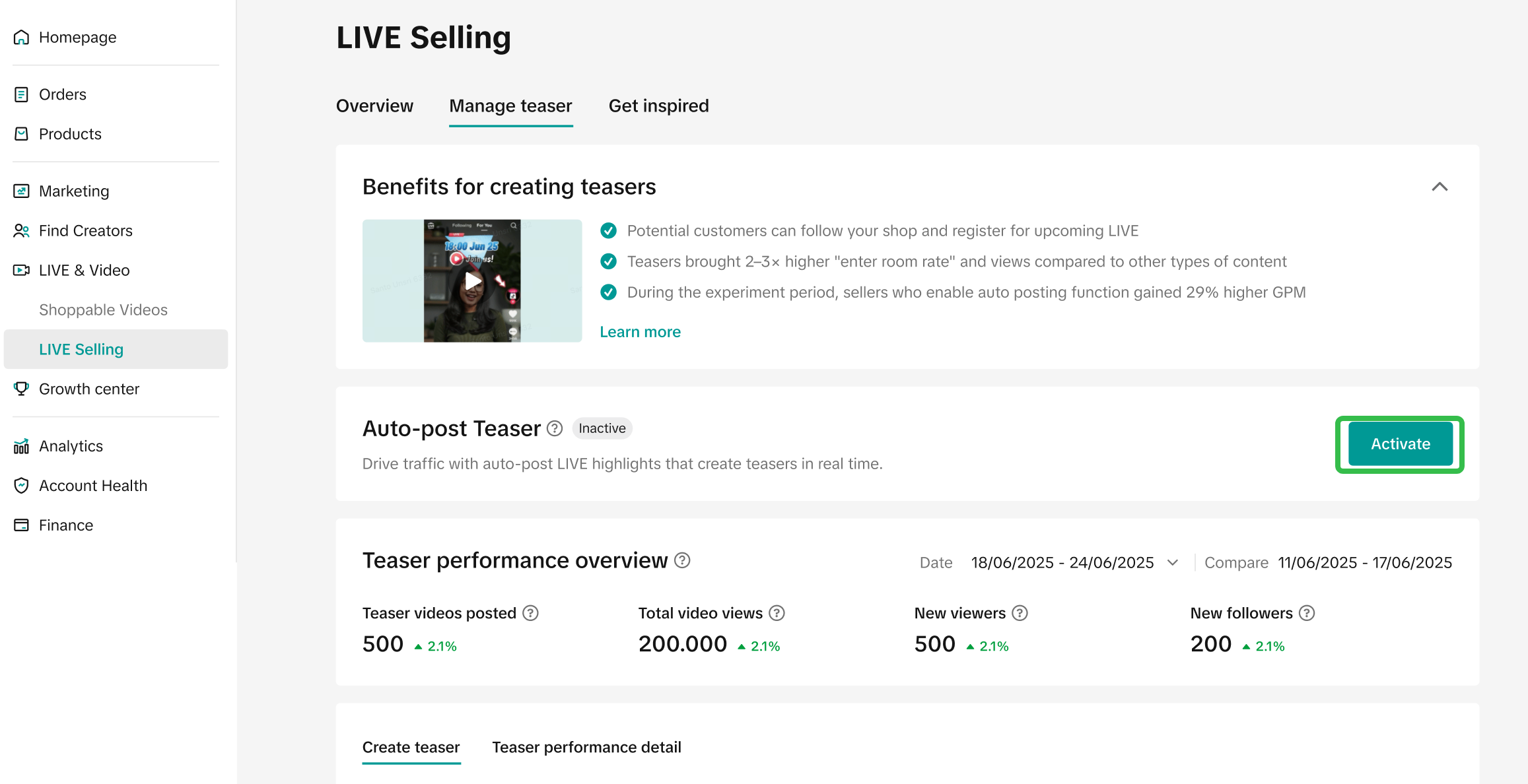
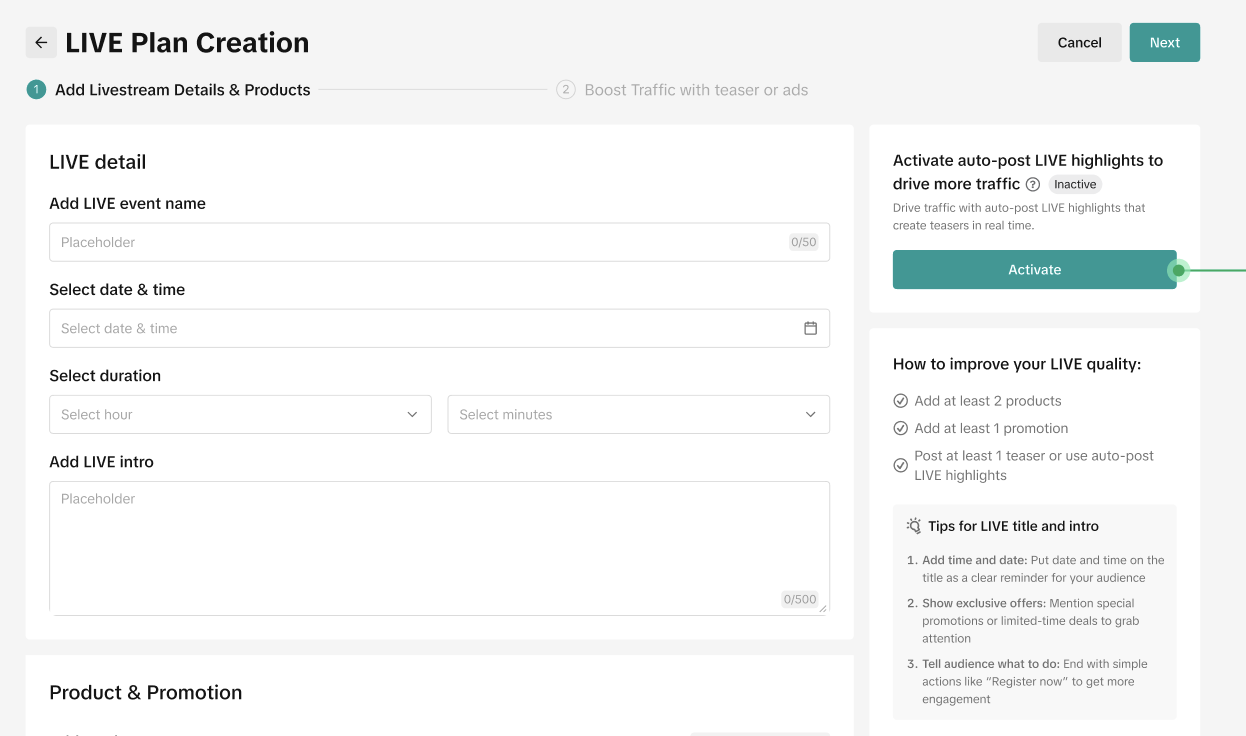
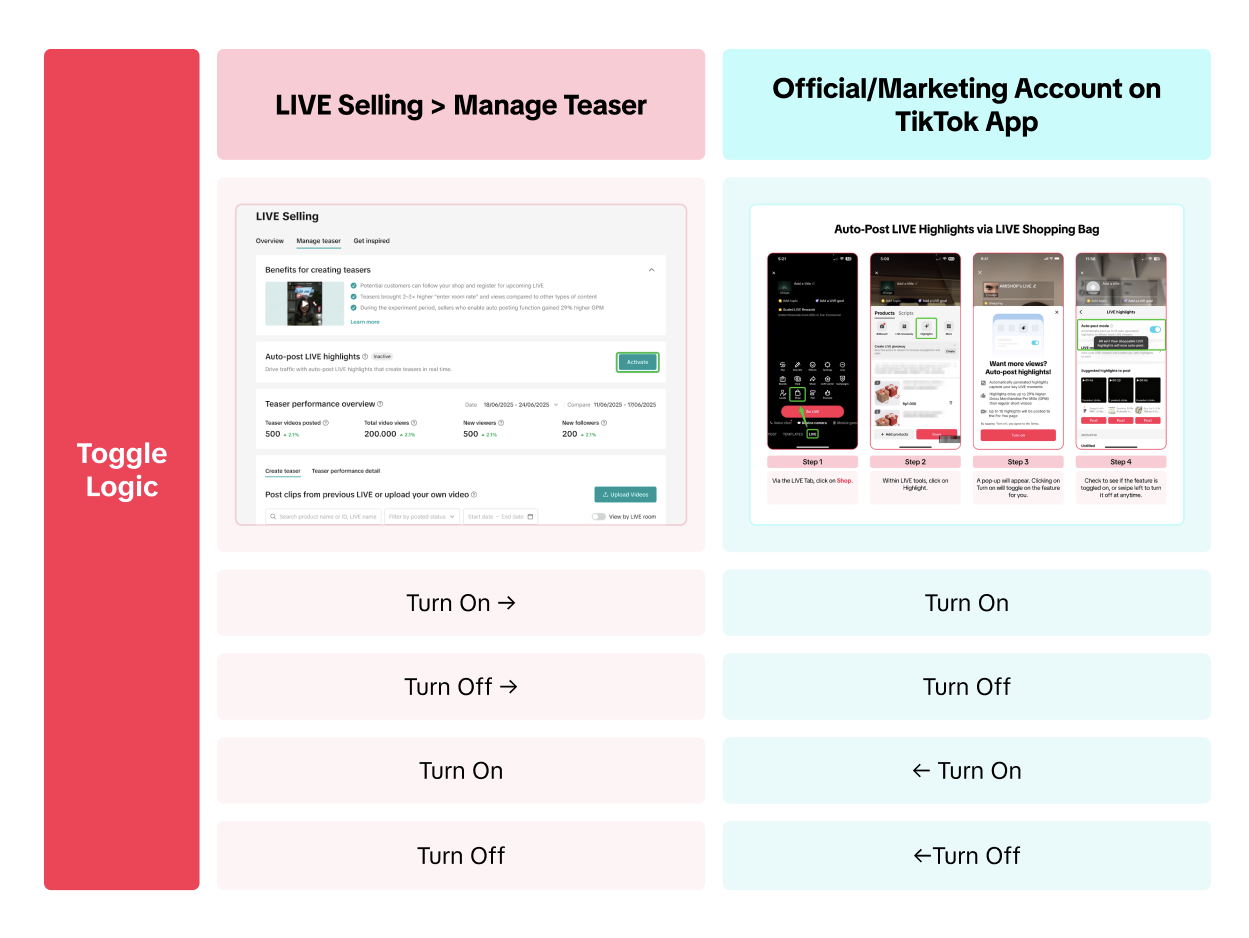
Toggle Logic between Seller Center PC and TikTok App
Auto-Post Teaser relates to the Auto-Post LIVE Highlight on TikTok App. The infographic below explains how they impact each other.Drive More Viewers to Your LIVE for Free
Actually, LIVE Highlights or Teaser are platform tools that can help you create short videos by repurposing best-performing moments from your LIVE room. Learn more about how each feature works here
Sellers can access this feature via both Seller Center and TikTok App: - On Seller Center PC: This feature is known as Teaser and is available to sellers with Official Accounts.
- On TikTok App: This feature is known as LIVE Highlights and is available to sellers and affiliate creators. Learn more about auto-post LIVE Highlight here.

FAQ
- Who are the eligible users for this feature?
- Local sellers with official accounts are eligible to use this feature.
- How does the platform decide which recommended video to be prioritised for auto-posting?
- Priority will be given to key moments with high engagement with chats and interactions from buyers, or high conversion rate when buyers are checking out with products featured in the LIVE room.
- Can I delete the posted teasers later?
- Ultimately, yes, you can delete these auto-posted teasers on TikTok App. However, you also have the option to hide all these videos once the LIVE room ends to keep your TikTok profile tidy.
- How long does the toggle on and off take to be effective?
- Once toggle on, or off, the system syncs with TikTok App almost instantly.
- I enable auto-post teasers and go LIVE everyday, but I don't have any teasers automatically posted, what is the reason?
- Once the auto-post feature is enabled, please make sure to go LIVE with your Official TikTok account in order to get the auto-posted teasers.